WhatsApp Automation for Mumbai Businesses: Stop Losing Leads After 6 PM
By Ayush DubeyNovember 13, 202613 min read
Short answer: WhatsApp automation for Mumbai businesses answers the messages your team repeats every day — the first enquiry reply, the quote follow-up, the appointment reminder, the payment reminder, and the after-hours reply — so no lead waits until morning. It only works inside the rules: the customer must agree to be messaged, and you start with an approved template. For a business sending around 5,000 conversations a month, a worked example puts the total at roughly ₹5,700 a month for the platform, the message charges and tax together. Ranges, not quotes — a fixed quote comes only after understanding your requirements.
The lead that arrives at 6:05 PM
Your shop closes at 6. But a customer in Mumbai does not stop looking at 6. She finds your number, sends “Hi, do you have an appointment tomorrow morning?” on WhatsApp — and hears nothing until 10 the next morning. By then she has messaged two other businesses. The first one to reply gets the booking — and WhatsApp automation for Mumbai businesses makes sure that first reply is yours.
The enquiry, the confirmation and the payment reminder all come in on WhatsApp now. If your replies stop when your working day stops, your leads stop with them. That is the gap WhatsApp automation for Mumbai businesses closes.
What WhatsApp automation is — and what it is not
WhatsApp automation is a system that sends the repeat messages for you, on the official WhatsApp Business API, and routes the rest to a real person. A customer asks for the price list at 11 PM and gets it in seconds. A patient gets an appointment reminder the day before and two hours before. A missed call at 8 PM gets an instant reply: “Thanks for calling — we will call you back at 10 AM tomorrow.”
What it is not is bulk messaging. Automation only works for people who gave you their number and agreed to be messaged. It is also not a replacement for your team: the best setups automate the first reply and the routine follow-ups, then hand over to a person the moment the customer asks something unusual or is ready to pay.
The rules in plain language
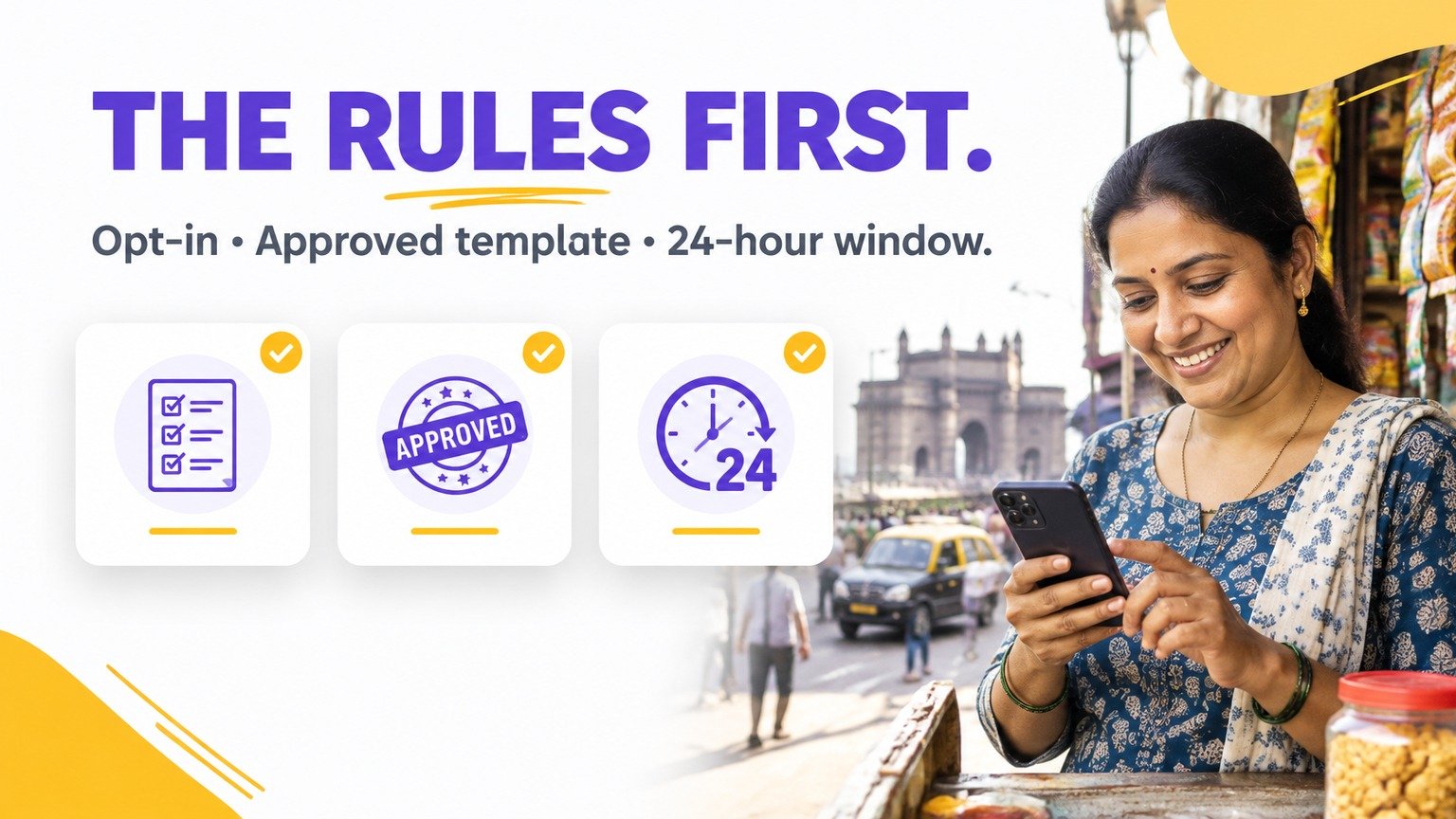
1. Opt-in first. The customer must give you their number and agree to be messaged — a tick box, a line on your booking form, or a message from them. Keep a record of it, and honour opt-outs immediately.
2. You start a chat with an approved template. You cannot write a fresh message to a customer out of the blue. The first message must use a template Meta has approved. Once the customer replies, you can write freely.
3. The 24-hour window. Once a customer messages you, you have 24 hours to reply freely. After that, you can only start a new conversation with an approved template.
4. Messages have categories, and the price depends on the category. Marketing messages are offers and broadcasts. Utility messages are order updates, payment reminders and appointment reminders. Authentication messages are one-time passwords. Service messages are your replies inside the 24-hour window. Marketing costs roughly seven times more than utility.
5. Get verified if you want higher limits. A new number starts with messaging limits. Meta raises them as your number builds a record of good delivery and few complaints. Business verification — proving your business is real, with its legal name and documents — is how you move up.
Two dates matter. From 1 October 2026, service replies are billable after the first 1,000 free conversations a month. Accounts billed from India must move to rupee billing by 31 December 2026, or delivery stops from 1 January 2027.
Numbers get blocked for bulk or unsolicited messages, for unofficial tools that pretend to be the WhatsApp app, and for ignoring complaints. The official API, opt-in only, approved templates, and a human handover will not make a block impossible — no one can promise that — but they are the only safe way to run automation.
The 5 automations to start with, in order
1. The instant enquiry reply
The moment a new enquiry arrives, the customer gets a reply in seconds — even at midnight. Example: “Hi, thanks for messaging! Our team will call you between 10 and 11 AM tomorrow. Meanwhile, would you like the price list or a free consultation? Reply 1 for price list, 2 for consultation.”
For a clinic, the same automation asks the one question that saves a phone call: “Which treatment — cleaning, braces, or a general check-up?” Many Mumbai customers reply more comfortably in Hinglish — “Namaste! Aapko kis cheez ke baare mein jaankari chahiye?”
2. The quote and site-visit follow-up
Most quotes die quietly. You send a price, the customer says “will check and let you know”, and nobody follows up. This automation follows up once, politely, at the right time — usually the next morning, or two days later for a bigger decision. Example: “Hi Rahul, this is Priya from the Andheri office. You asked about a 2BHK in Versova yesterday. The flat is still available, and we can arrange a visit this Saturday at 11 AM. Shall I book it for you?”
One follow-up is helpful. Three in two days is pressure. Set the automation to stop the moment the customer replies.
3. The appointment reminder
No-shows are the most expensive leak in a clinic, salon or coaching institute. A reminder the day before, and another two hours before, cuts them sharply — and it costs almost nothing, because reminders are utility messages, the cheapest category.
Example: “Hi Meera, a reminder of your dental appointment tomorrow, 14 November at 11:00 AM at our Vashi clinic. Reply CONFIRM to confirm, or RESCHEDULE to pick a new time.”
The reply is the point: CONFIRM, RESCHEDULE, or CANCEL. A reminder nobody can answer is a one-way announcement. A reminder the patient can answer in one word is a booking system.
4. The payment and fee reminder
Chasing payments is the job nobody in a small business wants. Automation does it politely, on schedule: a fee reminder three days before the due date, one on the date, and one polite nudge after — each with a payment link, each stopping the moment the payment arrives.
Example: “Hi, a friendly reminder that your invoice of ₹4,500 for October is due on 15 November. You can pay here: [payment link]. If you have already paid, please ignore this message. Thank you!”
For a business using a billing tool like BILLit, the reminder can be tied to the actual invoice, so a customer who has paid never gets chased by mistake.
5. The missed-call and after-hours reply
Every missed call is a lead that chose to call you and got nothing. This automation replies within a minute, and answers every message that arrives after hours — with a promise and a time, not a dead end. Example: “Hi, thanks for calling! We are closed right now, but your message is noted. We will call you back tomorrow at 10 AM. If it is urgent, reply URGENT and our on-call team will respond.”
The reply must say when a human will respond, and the human must actually respond then. This automation needs a human handover — a named person, a named time, and a list someone checks first thing in the morning.
What WhatsApp Automation for Mumbai Businesses Costs in 2026
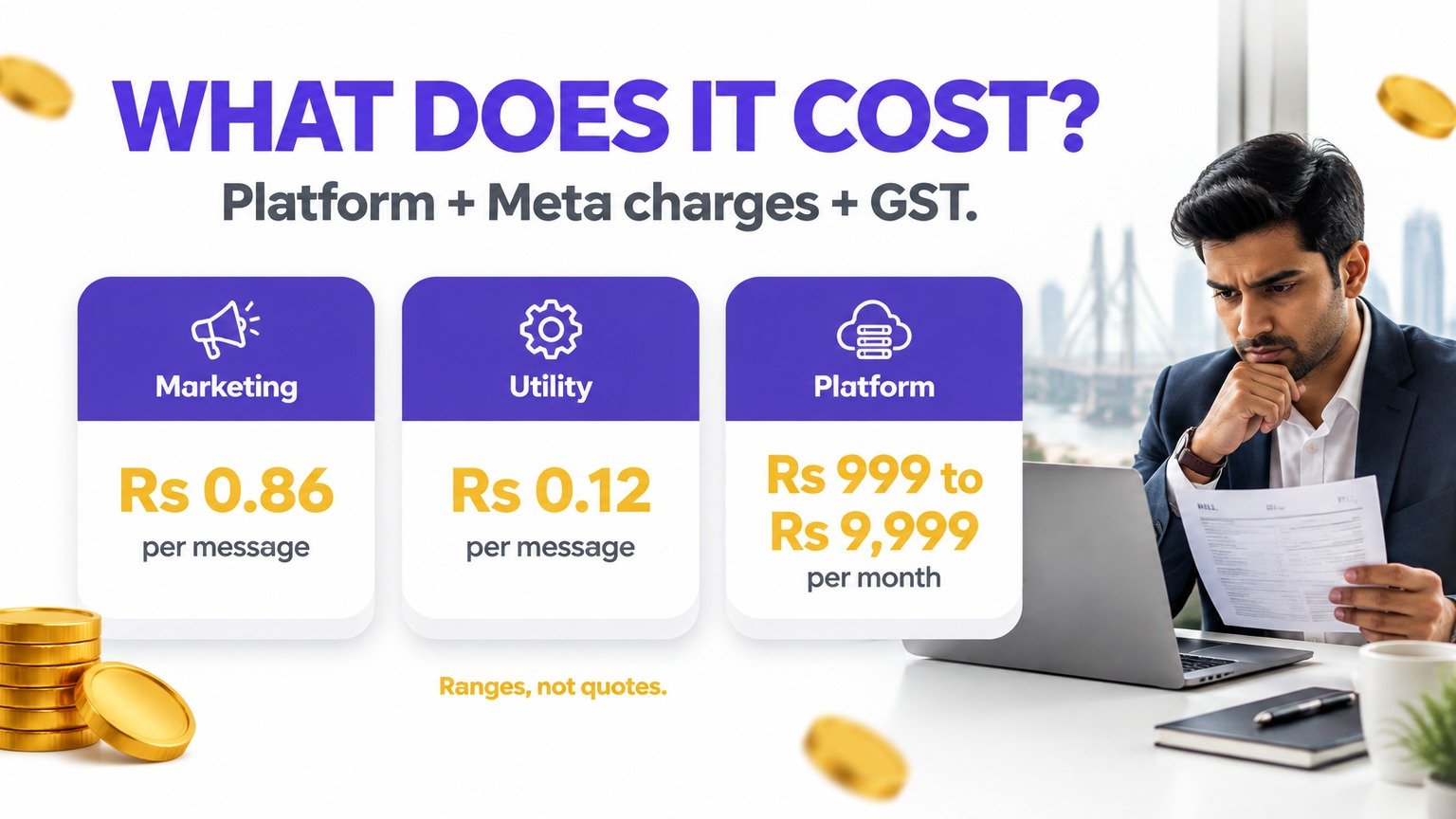
There are two cost layers, and most vendors only quote one. The platform fee is what you pay the provider for the software. The message charges are what Meta charges per conversation, on top of the platform fee. Add 18% tax on both.
The platform fee. Typically ₹999 to ₹9,999 a month, depending on features and seats, with common published tiers around ₹1,999, ₹3,999 and ₹7,999 a month. Some providers start lower — from ₹699 a month plus tax, or from ₹1,500 a month with no setup fee. Others skip the flat fee and add ₹0.10 to ₹0.30 per message on top of Meta’s rate instead. Ask which model you are on before you sign.
Meta’s charges. Meta charges per 24-hour conversation, and the price depends on the category. These are Meta’s published India rates, before tax:
Category
What it covers
Meta rate per conversation
Marketing
Offers, broadcasts, follow-ups after a click-to-WhatsApp ad
₹0.8631 (about ₹1.02 with tax)
Utility
Order updates, delivery updates, payment and appointment reminders
₹0.115 (about ₹0.14 with tax)
Authentication
One-time passwords
₹0.115 (about ₹0.14 with tax)
Service
Your reply inside the 24-hour window a customer opens
First 1,000 free a month per number, then ₹0.115
Customer messages to you are always free. Service replies were free before 1 October 2026; since then they are billable after the first 1,000 free conversations a month.
One warning about prices you will see online: some providers list higher rates — for example ₹1.09 for marketing and ₹0.145 for utility. That is that provider’s marked-up rate, not Meta’s list rate. Ask whether a quote is Meta’s rate plus a platform fee, or a marked-up rate with no separate fee.
A worked monthly total. For around 5,000 conversations a month, a published worked example puts the all-in total — platform fee plus Meta charges plus tax — at roughly ₹5,700 a month. At 25,000 it is roughly ₹21,350, and at 100,000 roughly ₹75,975 a month.
These are worked examples from published sources, not a Digital Dhatu price. Ranges, not quotes — a fixed quote comes only after understanding your requirements.
One-time setup. A starter build is roughly ₹15,000 to ₹40,000 for Meta verification, provider onboarding and basic flows, per published ranges. These are other providers’ published ranges, for market context — not Digital Dhatu rates.
App vs API — which one fits your business?
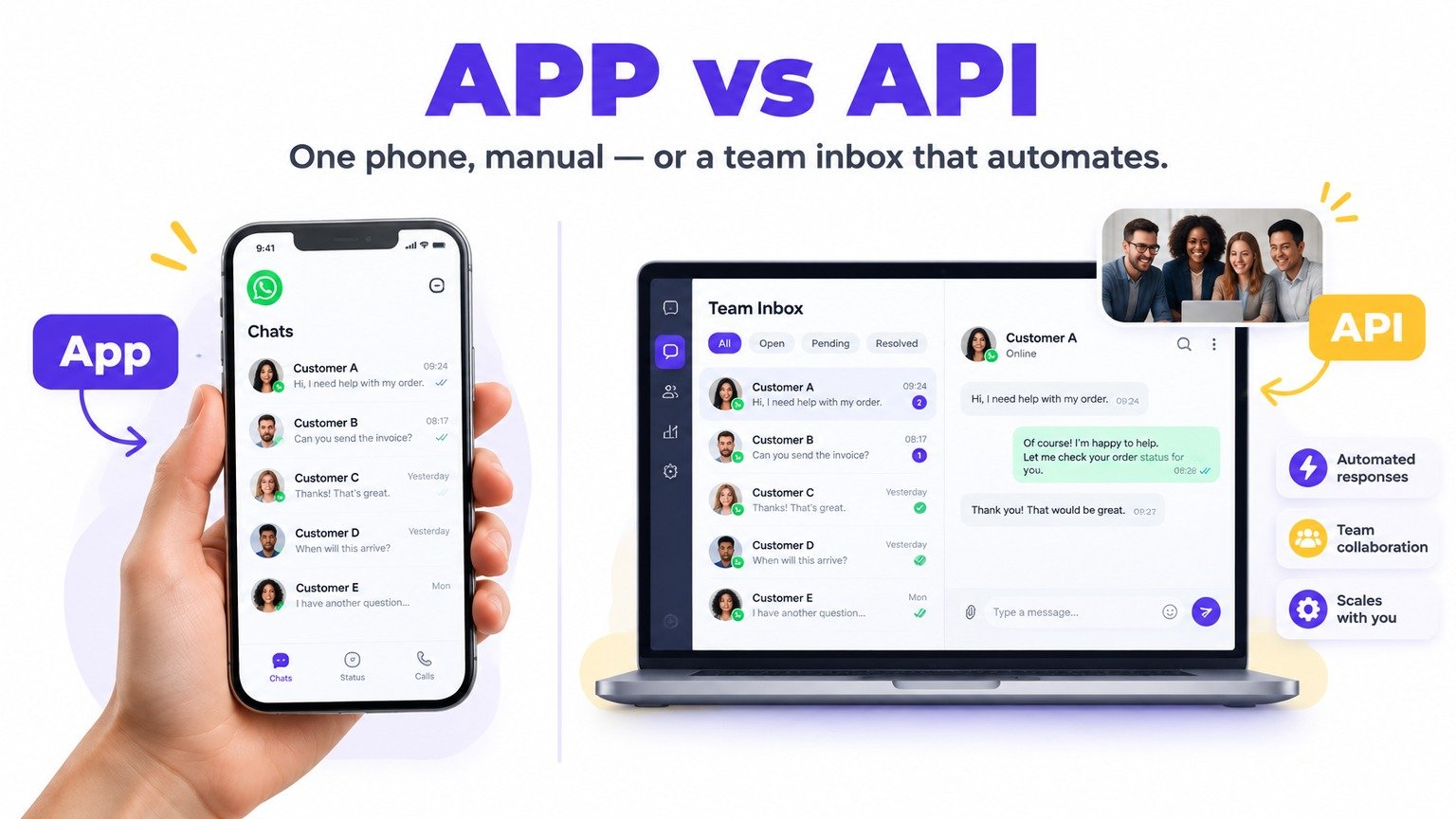
The WhatsApp Business App is free. It runs on one phone, for one person, and you answer messages by hand. If you are a single-person business answering a handful of messages a day, the app is enough — do not pay for automation you do not need.
The WhatsApp Business API is for a team: a shared inbox several people can use, approved templates, automated flows, and a connection to your CRM, website or sheet. It costs a platform fee plus Meta’s charges. If two or more people answer messages, or you miss enquiries after hours, you have outgrown the app.
Red flags and mistakes to avoid
Buying a list of numbers. A list bought online is not an audience. It is a fast way to get reported, blocked, and to lose the number customers already trust.
Unofficial tools. Tools that log into WhatsApp as if they were the phone app break Meta’s rules. They are cheaper for a month and expensive forever: the number gets banned, and the chats, templates and history go with it.
No opt-in record. “They gave us their number” is not an opt-in record. Keep the where and when: the form, the date, the words they agreed to. If you cannot show it, do not message them.
No human handover. An automation that answers everything and hands over nothing will lose the customers who were ready to buy. Every flow needs an exit to a person — a name, a time, and a real promise.
No lead record. A chat with no owner and no next step is a lead that will be forgotten. Every conversation should end up on one lead record, with an owner and a next step: called, quoted, booked, or paid.
Marketing broadcasts to cold numbers. Offers are for people who agreed to receive offers. Sending a festival offer to every number you have ever collected is the fastest way to get reported.
How Digital Dhatu works
Digital Dhatu builds automation the same way it builds everything else: Understand, then Strategize, then Build, then Launch, then Optimize. First, which messages your team repeats and where leads are lost after hours. Then the five automations, with templates, language and handover rules written down before anything is built. Then the flows, the approved templates, the shared inbox, and the CRM connection, so every chat lands on one lead record. Launch with one automation, check it for a week, then add the rest. Then read the numbers every week: reply time, no-shows, follow-ups answered, payments collected.
How much does WhatsApp automation cost in India in 2026?
Two layers: a platform fee, typically ₹999 to ₹9,999 a month, plus Meta’s charges — marketing about ₹0.86, utility and authentication about ₹0.12, service replies free for the first 1,000 a month — plus 18% tax. A worked example for around 5,000 conversations a month puts the all-in total at roughly ₹5,700 a month. Ranges, not quotes.
What is the difference between the WhatsApp Business App and the WhatsApp Business API?
The app is free, runs on one phone, and you answer by hand. The API runs through a provider, with a shared inbox for a team, approved templates, automated flows and a CRM connection, and it costs a platform fee plus Meta’s charges. One person answering a few messages a day can stay on the app; a team needs the API.
Can my WhatsApp number get blocked for automation?
Yes, if you send bulk or unsolicited messages, or use unofficial tools that are not the official API. Use the official API, message only people who agreed to be messaged, use approved templates, and honour opt-outs. That keeps the risk as low as it can be — but no vendor can promise a number will never be blocked.
What is a WhatsApp template and why do I need approval?
A template is a pre-approved message format for starting a conversation — an appointment reminder, an order update, or an offer. You can only start a chat with a customer using an approved template. Once the customer replies, you can write freely inside the 24-hour window.
Do I need opt-in before messaging customers on WhatsApp?
Yes. The customer must give you their number and agree to be messaged on WhatsApp, and you should keep a record of when and how they agreed. Honour opt-outs immediately. Messaging people who never agreed is the fastest way to get reported and blocked.
What should I automate first on WhatsApp?
In order: the instant enquiry reply, the quote or site-visit follow-up, the appointment reminder (day before and two hours before), the payment or fee reminder, and the missed-call and after-hours reply with a human handover. Start with the first one, check it for a week, then add the rest one by one.
Final word
A Mumbai business does not lose leads because its product is bad. It loses them between 6 PM and 10 AM, while the enquiry sits unread and the customer messages someone else. WhatsApp automation fixes the gap — but only if it follows the rules, starts with the five messages above, and ties every chat to one lead record with an owner and a next step.
If you want to see what that looks like for your business, book a free consultation with Digital Dhatu. Call +91 80800 99200, or visit the contact page. Our offices are in Vashi, Navi Mumbai and Andheri West, Mumbai, and the consultation comes with a clear plan, not a sales pitch.
Share:
Want results like these for your business?
Talk to our team for a free consultation, with no obligation.
Start with the free foundations: a complete Google Business Profile with real photos and correct hours, a WhatsApp catalogue of your stock, and 3 to 5…
A basic AMC covers repairs when things break, while managed IT support prevents most breaks in the first place: monitoring, patching, backup checks and a helpdesk…
Short answer: Start with the four apps that matter: Google Business Profile, Zomato, Swiggy, and Instagram. A single-outlet cafe spends around Rs 35,000 to 80,000 a…