Managed IT Support in Mumbai: AMC or Managed Services, and What It Actually Costs
By Ayush DubeyNovember 22, 202614 min read
A basic AMC covers repairs when things break, while managed IT support prevents most breaks in the first place: monitoring, patching, backup checks and a helpdesk for one monthly fee per user. Pick managed services once you have 15 or more users, or the day a dead morning costs more than a month of support.
On a Tuesday morning in a CA firm in Dadar, the billing computer refuses to start, the printer will not talk to the Wi-Fi, and the partner has a client call in twenty minutes. The office calls their usual technician, who says he can come after lunch. By then the morning is gone and two returns are late. That is the moment most offices start looking for managed IT support in Mumbai: not when a computer breaks, but when the break costs more than the fix.
What is managed IT support in Mumbai?
Managed IT support means one company takes responsibility for the technology your office runs on, for a fixed monthly fee, instead of billing you every time something breaks. Your computers, network, printers, email, CCTV, server, antivirus and backup: one team watches all of it, fixes small problems before they become big ones, and answers the phone when your staff need help.
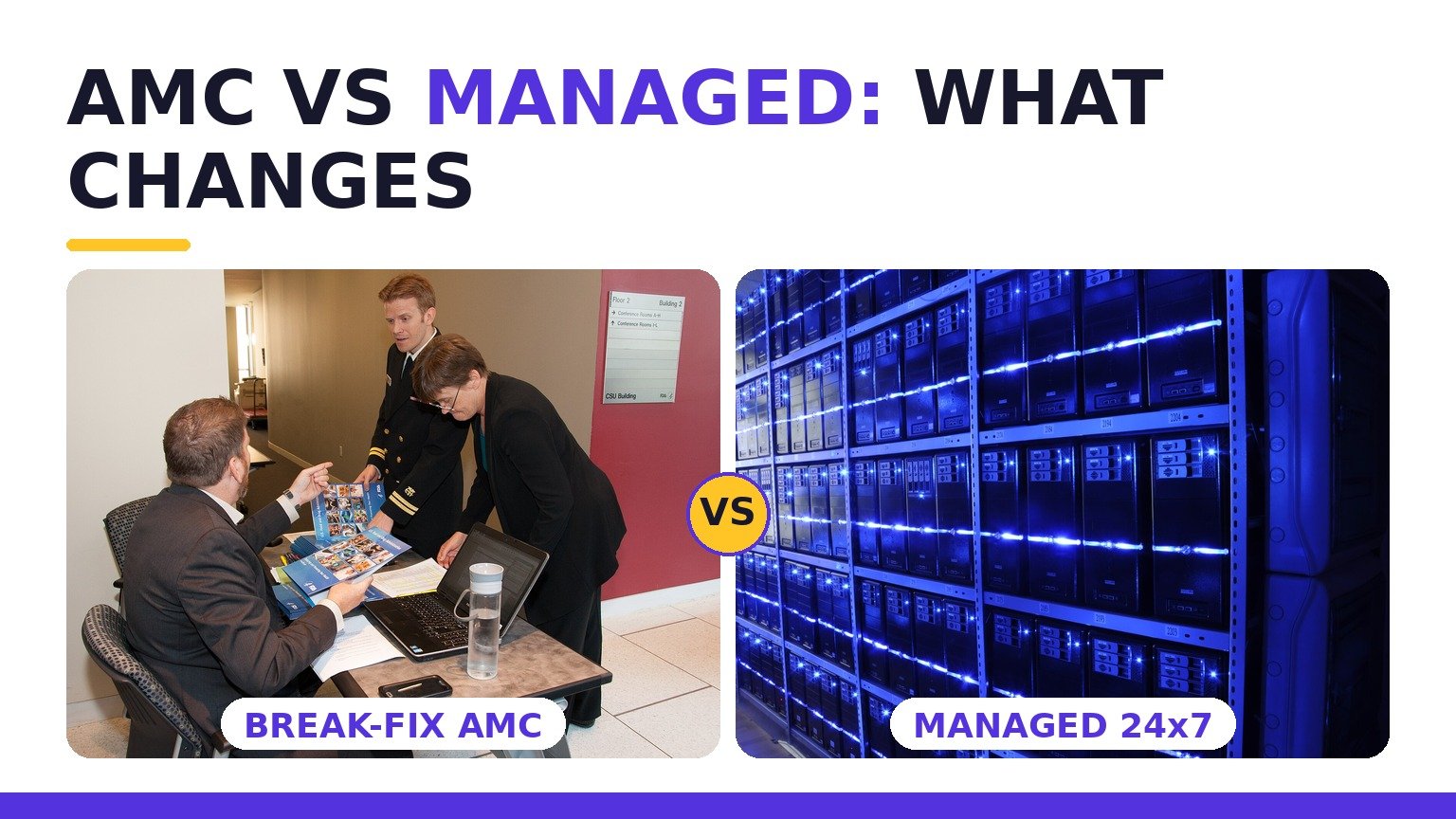
The difference from an AMC is the direction of the work. An AMC, an annual maintenance contract, is break-fix: you call when something stops working, and the technician comes and repairs it. Managed support is the opposite: the provider monitors your systems, applies updates and patches on a schedule, checks that your backup actually ran, and spots a failing hard drive before it dies. You still get help when things break, but far fewer things break.
Most Mumbai offices that depend on uptime need this more than they think. If your day runs on Tally or your billing software, on email, on a shared drive, on CCTV and on Wi-Fi that twenty people share, then an hour without systems is an hour without work. A clinic cannot pull up patient records, a trader cannot place orders, and a small factory office cannot raise a single invoice. The question is not whether you can afford support, but whether you can afford the morning when nothing works. If you are choosing an IT partner for the first time, read our guide to choosing an IT solutions company in Mumbai.
AMC or managed services: the honest comparison
AMC (break-fix)
Managed services
You pay
Per visit, or per year per system
Per user or per device, monthly
Who watches your systems
Nobody, until you call
Monitoring, during working hours or 24×7
Patching and updates
When someone remembers
Scheduled, every month
Backup
Checked when there is a problem
Tested on a schedule, with a report
Helpdesk
Phone the technician you know
Ticket system, with response times in writing
Best for
Under 15 users, simple setup
15 or more users, or uptime matters
Read the table from the point of view of a bad morning. Under an AMC, the printer dies at 10 am, you call, the technician comes at 3 pm, and the morning is lost. Under managed support, the monitoring flagged the failing driver last week, the patch went in on Friday evening, and the printer worked at 10 am.
AMC is not a bad choice. For a small office with eight computers, one printer and no server, a service-only AMC is often the cheapest sensible option: a scheduled visit every month or two and remote help during working hours. The trouble starts when the office grows past that shape and the AMC does not grow with it: fifteen people sharing Wi-Fi and a server holding five years of Tally data is not a small setup any more.
The 5 things that must be in the contract
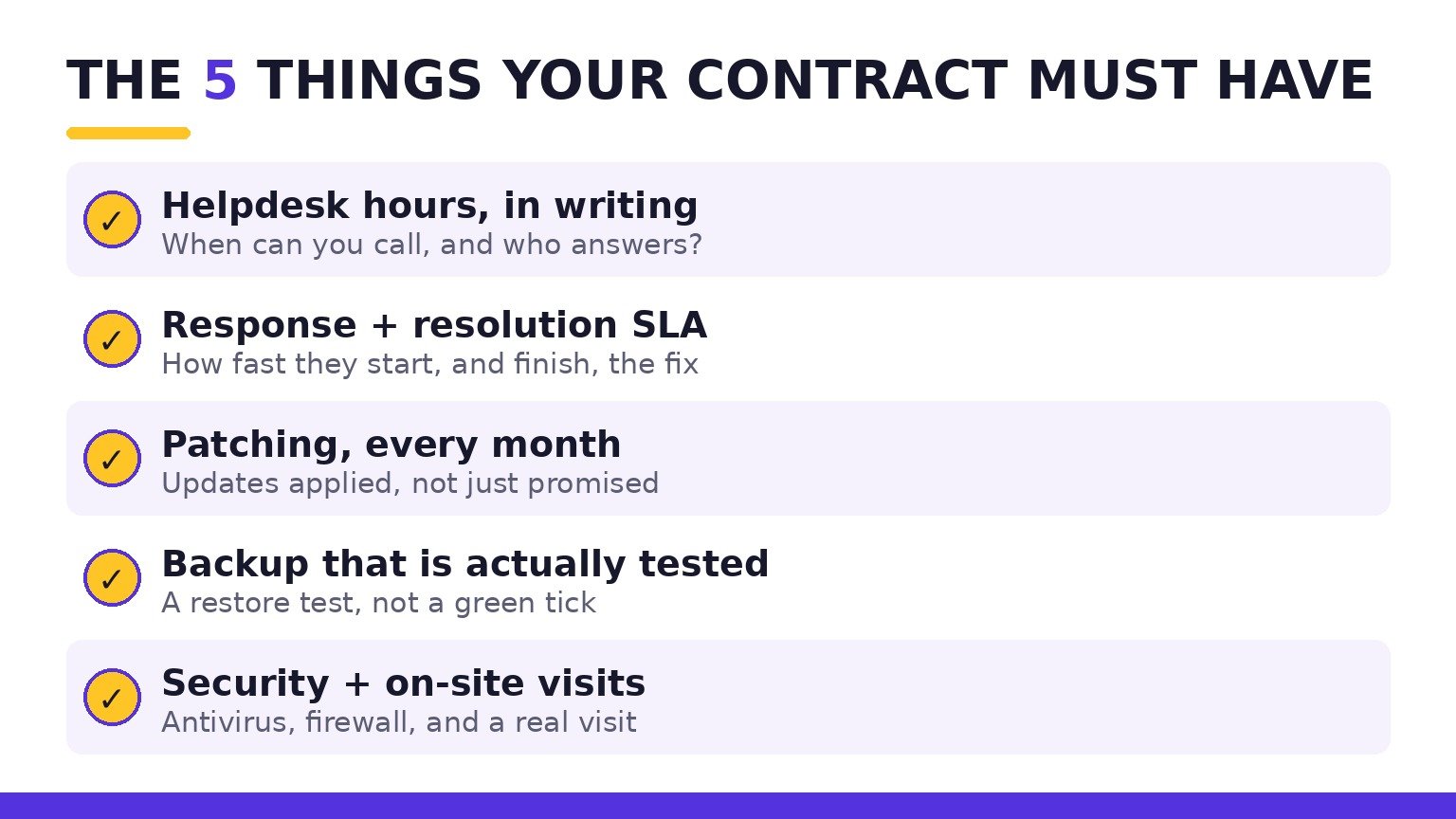
Whatever you sign, these five items must be written down, with numbers.
1. Helpdesk hours, and how you reach them. When can your staff call, and who answers? A phone number, a WhatsApp number, an email, or a ticket portal: pick the channel your staff will actually use, and make sure someone answers it during your working hours. Ask what happens at 7 pm, on a Saturday, and on a public holiday.
2. Response and resolution times in writing, by priority. Response time is how fast someone starts on your problem. Resolution time is how fast it is fixed. They are not the same thing, and a contract that only promises a response promises very little. Insist on both, split by priority: a P1 problem, the server is down or nobody can work, should get a response within an hour and a fix within four; a P3 problem can wait a day. Ask what happens if the provider misses the target: a service credit, or a written escalation to a manager.
3. Patching, on a schedule. Windows, Office, browsers, Tally and your billing software all need updates, and unpatched software is the most common way malware gets in. The contract should say what gets patched, when, and who checks it worked. Patching should happen outside working hours, with a report the next morning.
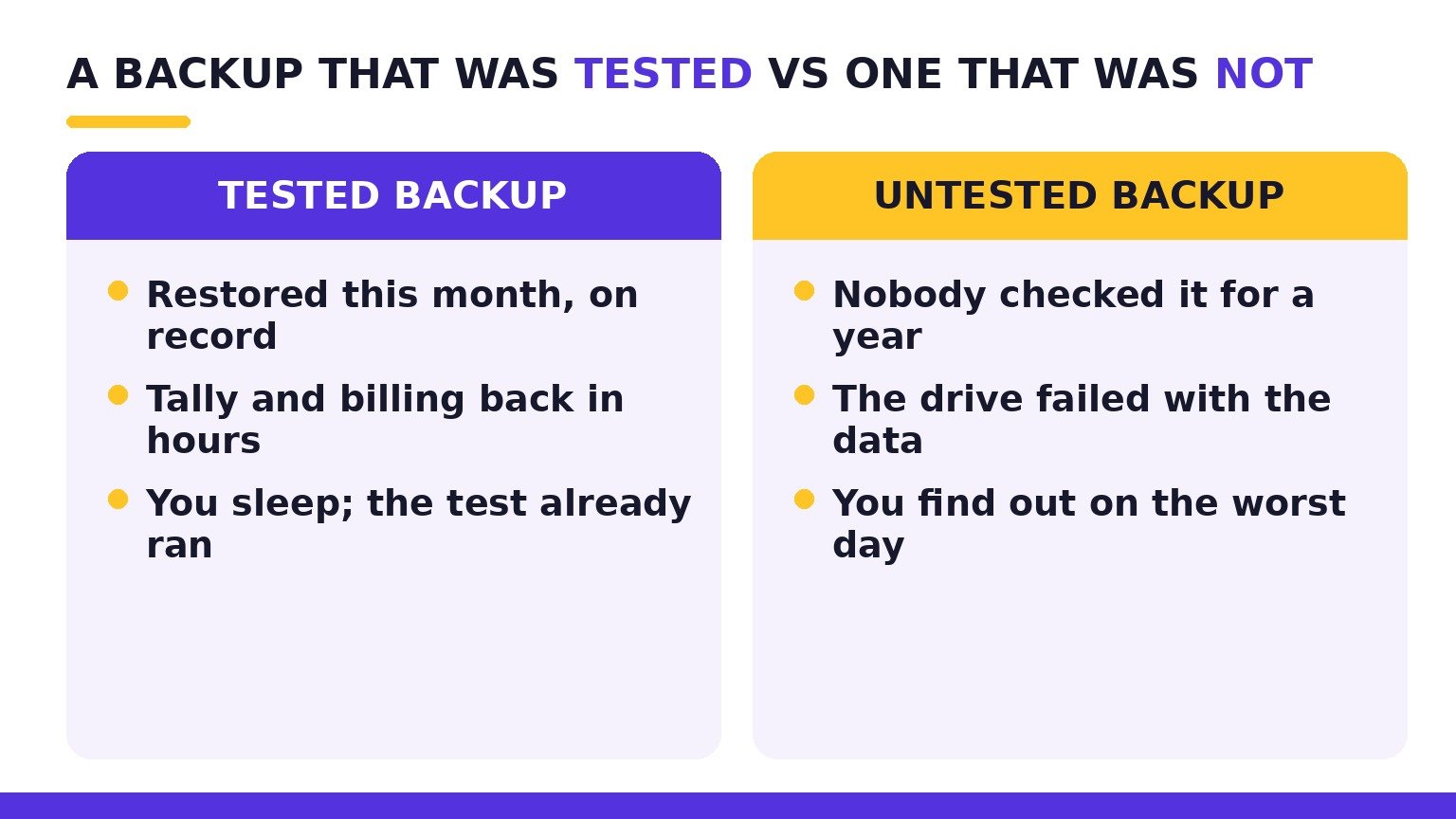
4. Backup verification, with a report you can read. A backup that nobody has tested is a hope, not a backup. The contract should say how often backups are tested, what a test looks like, and that you receive a short report: the backup ran, the restore test worked, and the data is intact. Ask to see a sample report before you sign. Your customer data lives in your CRM as much as in Tally, so read our guide to CRM software for Mumbai businesses before you decide what needs protecting.
5. Security, antivirus and passwords, managed centrally. Antivirus on every machine, kept up to date by the provider. One password policy for the office, with no shared logins: every person gets their own account, and leavers lose access the day they leave. Office Wi-Fi should be separate from guest Wi-Fi, and the firewall checked, not just installed and forgotten.
Also in the contract: on-site visits. How many are included each month, what an extra visit costs, and how fast an engineer reaches you in Andheri, in Vashi, in Borivali, or in Thane.
What does managed IT support cost in Mumbai?
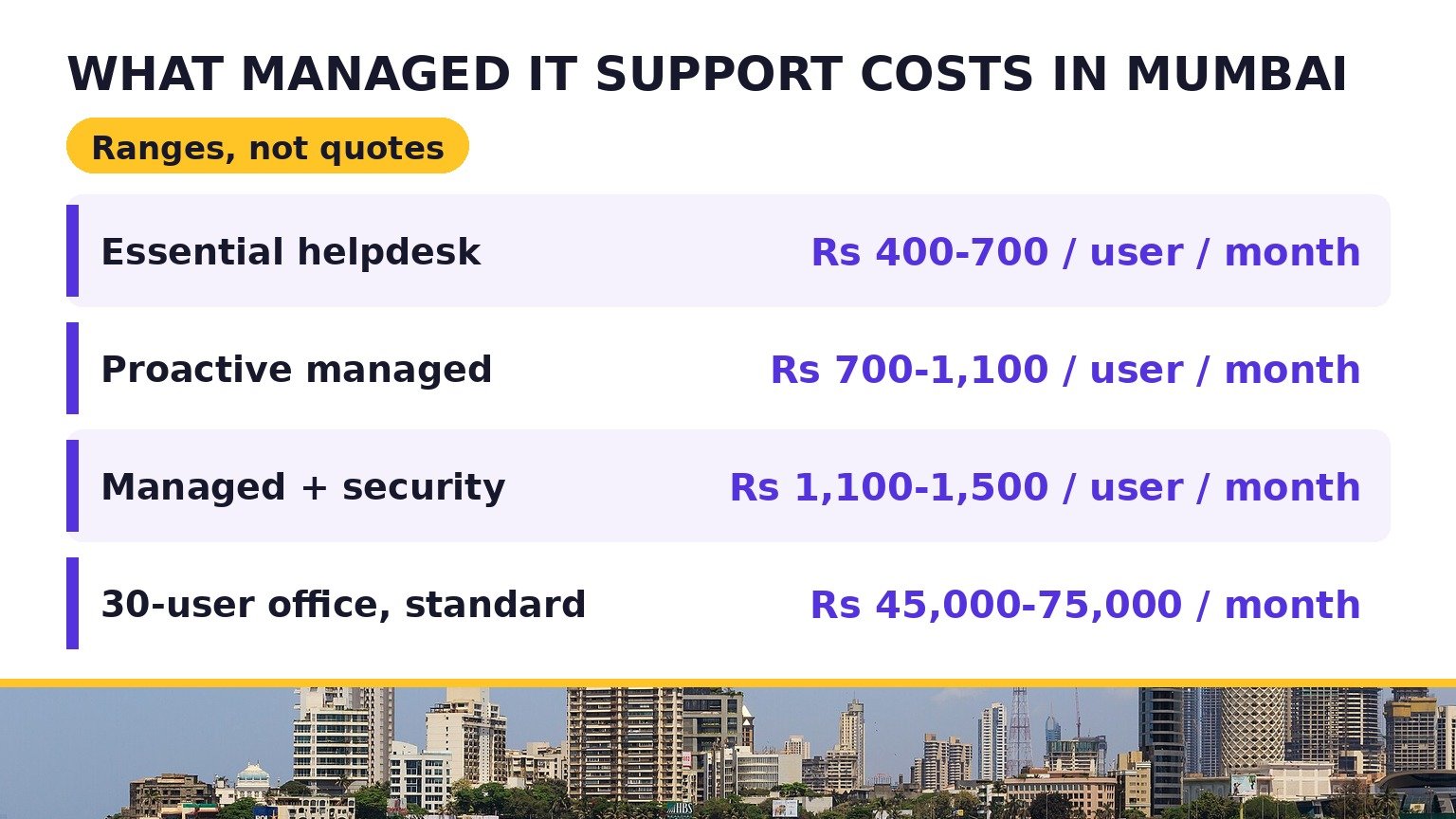
All costs below are published market ranges, not quotes. Ranges, not quotes. Add 18% GST on agency and managed-service fees.
What you are buying
Published market range
Essential support, helpdesk plus remote (Net Microtech, Mumbai)
~Rs 400-700 per user/month
Proactive managed, monitoring plus on-site plus patching (Net Microtech, Mumbai)
~Rs 700-1,100 per user/month
Managed plus security, full stack plus firewall plus backup plus cloud (Net Microtech, Mumbai)
~Rs 1,100-1,500 per user/month
Essential helpdesk (24Bit System, India-wide)
~Rs 900-1,600 per user/month
Standard with monitoring (24Bit System, India-wide)
One more published price needs a warning attached. Marcks IT Services publishes AMC tiers of Rs 499, Rs 699 and Rs 799 per year, but the page does not state the unit plainly. The pricing scales with the number of systems, so read these as per-system figures, not the cost of covering a whole office. A tier at Rs 799 a year that included full hardware parts and 24×7 support for an entire office would be impossible. Ask any provider what the number covers before you compare it with anything else.
For scale, 24Bit System’s guide works an example: a 30-user office on a standard plan pays roughly Rs 45,000-75,000 a month, while the same office on a per-device AMC might pay roughly Rs 1,20,000 a year. The two numbers are not directly comparable, because managed covers more than visits and repairs.
What pushes you up the range is predictable: security and compliance needs, cloud services, 24×7 cover instead of working hours, and faster response times. What is usually extra, on any plan, is hardware parts, new software licences, and project work, such as shifting to a new office or moving your files to the cloud. Get those extras in writing before you sign, with rates. If the problem is the software itself rather than the machines it runs on, read our guide to custom software development in Mumbai.
How many users make managed services worth it?
The rule of thumb, from 24Bit System’s guide, is simple: under 15 users, an AMC usually wins; between 15 and 50 users, managed services usually win once patching, backup and security are counted honestly; above 50 users, managed is the default.
Run your own numbers before you believe the rule. A 20-user office on managed support at Rs 900 a user a month pays Rs 18,000 a month. One morning of downtime for twenty people costs more than that, and a lost Tally database costs far more. An 8-user office on the same plan pays Rs 7,200 a month for cover it may rarely use, and a service AMC at a few hundred rupees per system a year may be the better buy. The threshold is the cost of a dead morning, and how often you have one.
What breaks: the four failures we see most
No backup that was ever tested. The backup ran every night for a year, the green tick appeared, and nobody ever tried to restore a file from it. Then the server drive fails, and the backup turns out to be empty, or encrypted by the same malware that took the server. The fix is a restore test every month, with a report. It takes an hour. The cost of skipping it is the business.
One shared password for everything. The office Wi-Fi, the Tally login, the email, and the billing software all share one password, known to every current and former employee. One person leaves angry, or one laptop is stolen, and the whole office is open. The fix is free: separate accounts and leavers cut off the same day.
Wi-Fi that dies at 11 am. The router is a home model bought five years ago, sitting in a corner behind a cupboard, serving twenty people, three printers and a CCTV system. It works until everyone arrives, then it gives up. The fix is business Wi-Fi: a proper access point, placed where people sit.
Tally on one PC. Five years of accounts live on a single desktop under one person’s desk, with no copy anywhere else. If that drive dies, the office loses its history, its pending bills, and its tax records. The fix is a shared drive or a cloud copy, backed up and tested, so no single machine holds the business. The same discipline applies to the rest of the office: read our guide to business automation in Mumbai.
The 7-point pre-signing checklist
Run through this list before you sign anything.
Response and resolution times in writing, by priority, with a consequence for missing them.
Backup test report: ask to see a sample before you sign, and check restore tests happen monthly.
Patching schedule in writing: what gets patched, when, and who checks it worked.
A named engineer or account manager, not a call-centre queue.
What is extra: parts, licences, projects and after-hours visits, with rates written down.
Exit terms: your data, passwords and admin access handed over if you leave, and the notice period.
A short term first: three months, then a year. Never a three-year lock-in on day one.
Skip this list and the cheapest quote wins.
How do you know it is working?
Measure five numbers every month:
Tickets: how many your staff raised, and how fast they closed.
Uptime: working hours lost to IT problems. The number should fall, not rise.
Backup test reports: did they arrive, and did the restore test pass?
Patches applied: what was patched this month.
Problems fixed before anyone noticed: ask the provider to report them.
The first results usually arrive in 4 to 6 weeks: fewer tickets and faster fixes. A stable office takes 2 to 3 months.
Frequently asked questions
AMC or managed IT services — which should I pick?
Pick an AMC if you have under 15 users and someone in the office who can handle small problems. Pick managed services if you have 15 or more users, or if one dead morning costs more than a month of support. The honest test is the cost of downtime, not the size of the quote.
How much does managed IT support cost per user in Mumbai?
Published Mumbai ranges run roughly Rs 400-700 per user a month for essential helpdesk and remote support, roughly Rs 700-1,100 for proactive managed cover, and roughly Rs 1,100-1,500 for managed cover with security, firewall, backup and cloud included. Ranges, not quotes; add 18% GST.
What is an SLA and what should it promise?
An SLA, a service level agreement, is the written promise in your contract about how fast the provider responds and fixes problems. It should promise both a response time and a resolution time, split by priority, with a consequence if the provider misses them.
Is backup included, or extra?
It depends on the plan. Basic AMC plans usually cover backup checks only when there is a problem. Managed plans usually include backup monitoring and restore tests, but storage, the backup software licence, or a full restore may be extra. Ask for a sample backup test report before you sign.
What happens when our internet or server goes down?
A P1 problem: the provider should respond within an hour and work on it until it is fixed, with an on-site visit if remote work cannot fix it. Ask what the plan is for a dead internet line: a backup connection, a dongle, or a second line from another provider.
How many users make managed services worth it?
Roughly 15 users is the usual threshold: below that, an AMC is usually cheaper; from 15 to 50 users, managed services usually win once patching, backup and security are counted honestly. If one dead morning costs more than a month of support, managed cover pays for itself.
Talk to Digital Dhatu before your next dead morning
The most expensive IT bill is not the monthly fee, but the morning when nothing works and the technician can come after lunch.
Digital Dhatu helps Mumbai offices, clinics, CA firms, traders and coaching institutes keep their systems running, with response times in writing. We work from our offices in Vashi and Andheri West.
Book a free consultation and bring your current AMC or support contract, or just a list of what breaks most often. We will tell you honestly whether an AMC or managed cover fits your office. Contact Digital Dhatu today.
Share:
Want results like these for your business?
Talk to our team for a free consultation, with no obligation.
Start with the free foundations: a complete Google Business Profile with real photos and correct hours, a WhatsApp catalogue of your stock, and 3 to 5…
Short answer: Start with the four apps that matter: Google Business Profile, Zomato, Swiggy, and Instagram. A single-outlet cafe spends around Rs 35,000 to 80,000 a…