Ecommerce Website Development in Mumbai: Shopify vs WooCommerce, and What It Actually Costs
By Ayush DubeyNovember 16, 202613 min read
Short answer: Shopify is the faster, simpler choice for most Mumbai sellers: a hosted store live in weeks, with UPI, cards and COD at checkout. WooCommerce is better when you want full control over hosting, design and data, and have someone to maintain it. A starter store costs roughly Rs 10,000–50,000, a full store with up to 100 products roughly Rs 60,000–1,80,000, and a custom D2C store roughly Rs 1,20,000–3,50,000.
The Bandra boutique that sold out on Instagram and had nowhere to send buyers
When Meera, who runs a boutique in Bandra West, posted a reel of her new collection, the orders came in faster than she could answer them. She had no online store, so every sale meant a DM, a UPI screenshot, and a manual courier booking. That week taught her what ecommerce website development in Mumbai really means: a shop that takes the order, the payment, and books the courier.
Meera’s problem was not demand. Every order cost her fifteen minutes of manual work. The quotes she received ranged from Rs 15,000 to Rs 4 lakh. The price depends on the platform, the catalogue, and the payment and shipping setup.
Choosing a platform for ecommerce website development in Mumbai
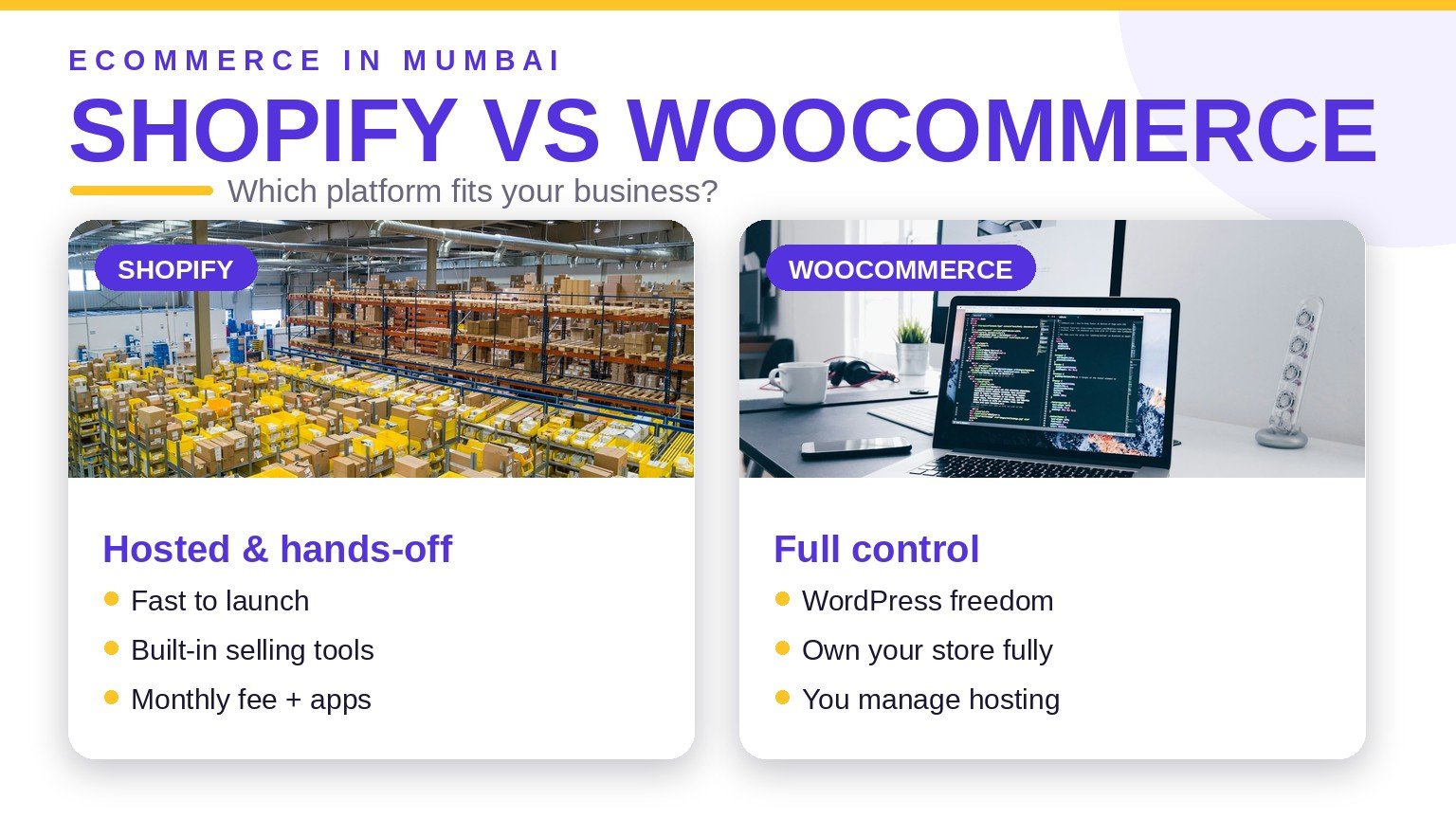
Shopify is a hosted platform. You pay a monthly plan, and Shopify runs the servers, the security updates and the checkout. The trade-off is the monthly fee and the extra fee on payment gateways. Shopify pricing is published on its own site.
WooCommerce is a free plugin that turns a WordPress website into a store. You pay for hosting, a theme and plugins, and you own the whole setup. It suits sellers who want full control and have a developer to maintain it. The trade-off: you own the updates, the backups and the security.
Headless commerce separates the storefront from the system that handles products and orders. It suits larger D2C brands with a team to run it; for a small seller it is usually too much. Launch fast: start with Shopify. Want control and have a developer you trust: choose WooCommerce.
Which platform fits your kind of business
D2C brand. You sell your own label across India, and your brand matters as much as the product. Shopify usually wins here: fast launch, clean checkout, and easy offers.
Boutique or jeweller. You have a small catalogue and high-value products, and customers want to talk before they buy. What matters is the experience: large photos, clear pricing, and an enquiry option.
B2B and wholesale. You sell to retailers, not to individual buyers. You need bulk pricing, minimum order quantities, credit terms, and a catalogue that hides prices. WooCommerce handles this well with the right plugins, because you control the rules.
Marketplace seller moving to their own store. You already sell on a marketplace and you want your own store so you keep the customer and the margin. Shopify is the natural first step.
Catalogue size and who manages the store day to day
A store with 20 to 50 products is a different job from a store with 500 products. With a small catalogue, the work is photography and a smooth checkout. With a large catalogue, the work is structure: categories, filters, and stock levels.
Who manages the store matters just as much. If you or a staff member will add products and change prices, the dashboard must be simple to use. If no one on your team will manage the store, budget for a monthly maintenance plan.
Checkout and trust: UPI, cards, COD, returns and GST invoices
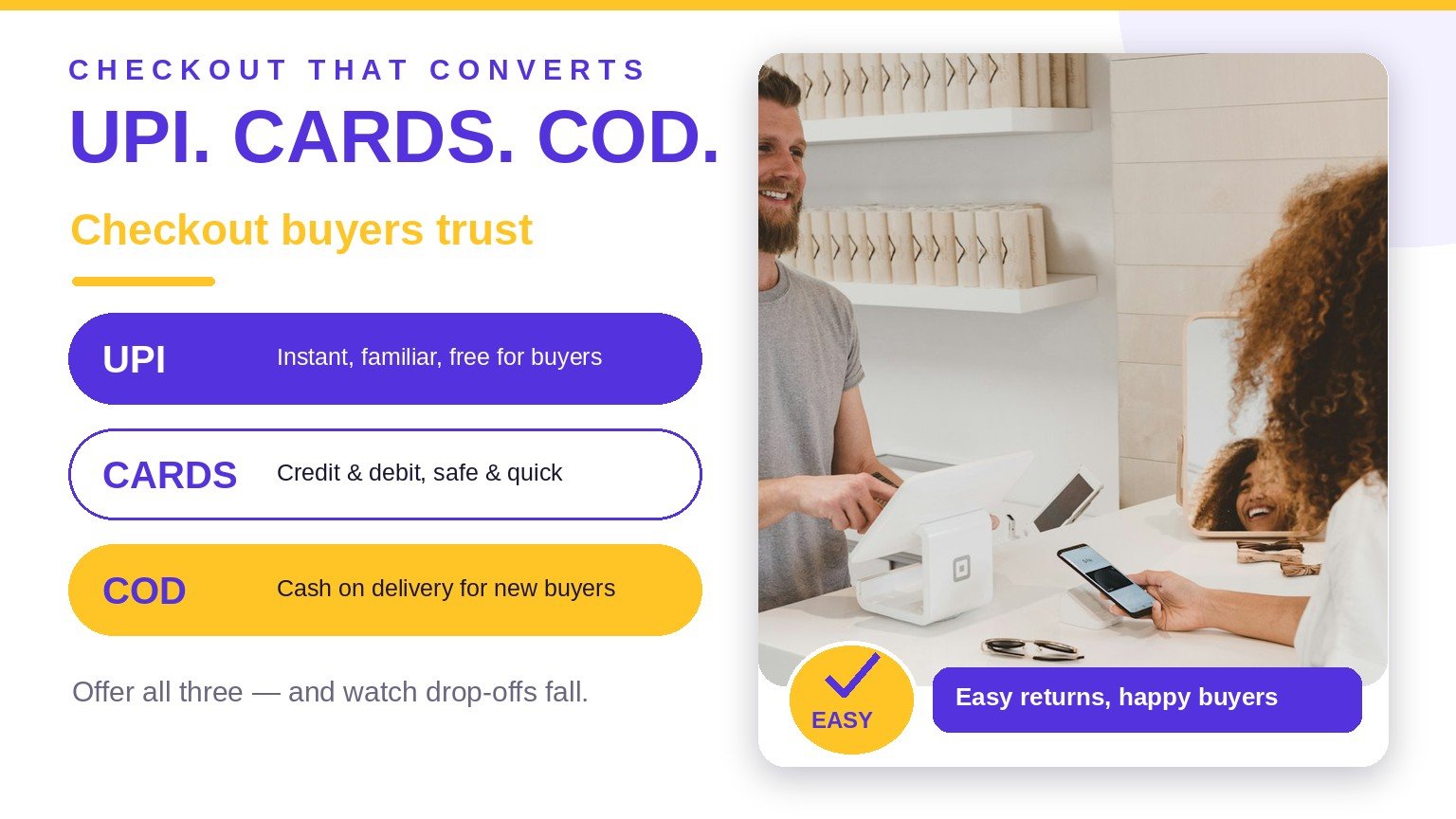
UPI is not optional. Most Mumbai buyers pay by UPI — Google Pay, PhonePe, Paytm — and they expect it at checkout. Your store must offer UPI through a gateway such as Razorpay, PayU or Cashfree, visible before the payment page.
Cards and net banking still matter. Some buyers prefer cards, especially for larger orders. Offer cards alongside UPI, and keep the checkout short: name, address, payment, done. Every extra field costs you orders.
COD is a business decision, not a default. Cash on delivery brings orders from buyers who do not trust a new store yet. It also brings returns: a buyer who has not paid is far more likely to refuse delivery.
Returns and refunds must be written down. A clear returns policy builds trust. State how many days a buyer has to return a product, who pays for return shipping, and how fast the refund comes.
GST invoices are part of the sale. If you are GST registered, your store must issue a proper GST invoice with your GSTIN. Trust is also visual: show your business name, your Mumbai address, a phone number that answers, and real photos of your products.
Shipping, courier sync and RTO
Selling is easy. Delivering is where most new stores lose money, through RTO — return to origin — orders that come back because the buyer refused them or the courier could not reach them.
Courier sync saves hours. Your store should connect to a shipping aggregator such as Shiprocket or Delhivery, so an order automatically creates a courier booking and sends the tracking link to the buyer.
Shipping charges need a rule. Free shipping above a threshold, say Rs 999 or Rs 1,499, is the most common offer. Show the shipping cost before checkout — a surprise charge at the last step is the top reason buyers abandon a cart.
RTO is a cost, so plan for it. COD orders have the highest RTO rates, often because the buyer changed their mind or was not available. Cut RTO by confirming COD orders on WhatsApp before dispatch. If one in five COD orders comes back, COD is costing you more than it earns.
Abandoned-cart recovery on WhatsApp
Most buyers who add a product to the cart do not complete the purchase. They get distracted, they want to compare prices, or they are waiting for payday. The money is in the follow-up, and in Mumbai the follow-up happens on WhatsApp.
Send a reminder, not a nag. A WhatsApp message an hour or two after the cart is abandoned, with the product photo, the price and a link back to checkout, recovers a real share of lost orders.
Make the message useful. The best abandoned-cart message answers the question the buyer had: the delivery date, the return policy, or the COD option. A useful message beats “You forgot something!”
Automate it properly. This is where WhatsApp automation pays for itself: the cart reminder, the order confirmation and the delivery update all go out automatically. Set up the flows once and let them run.
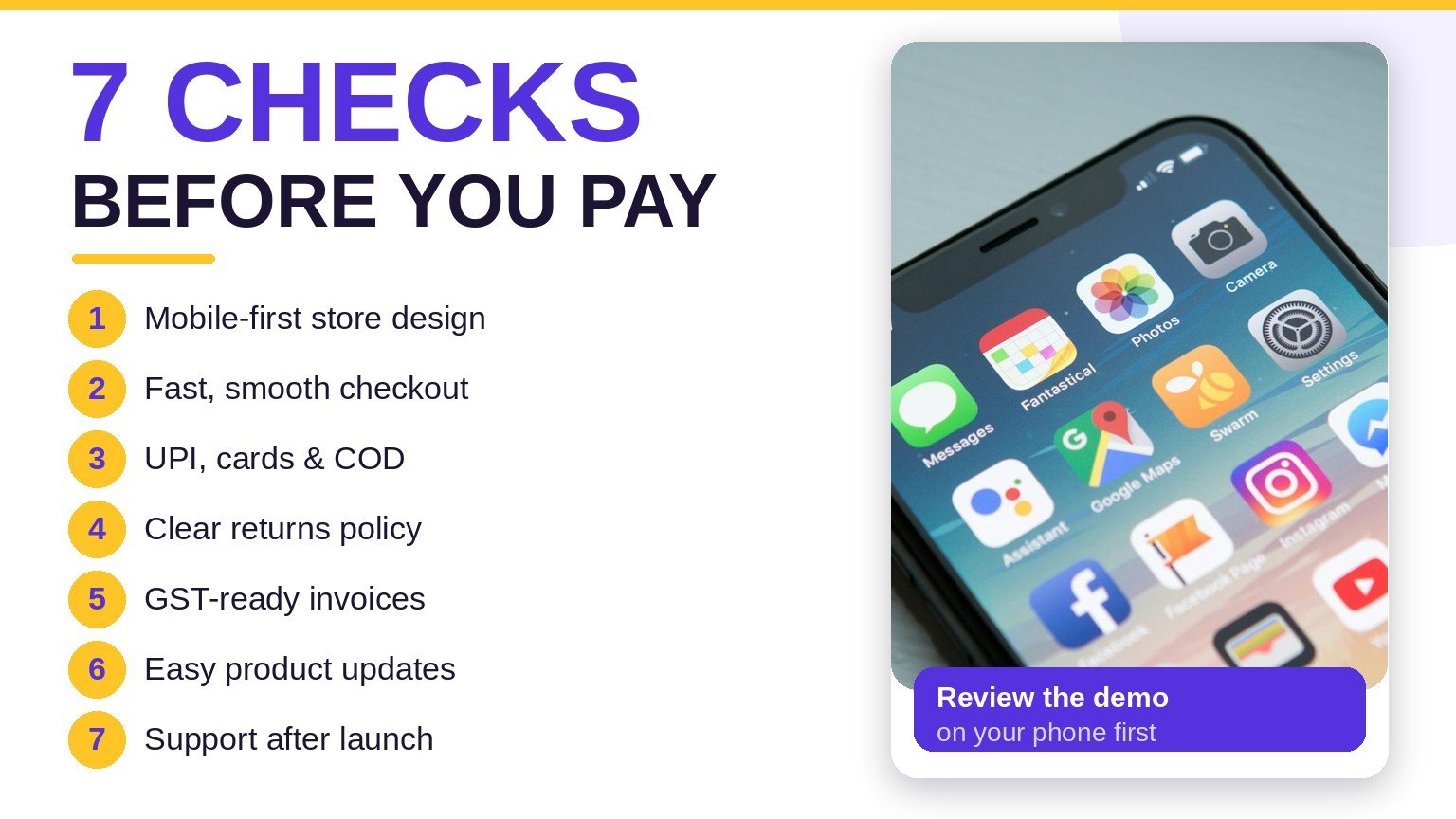
The 7 checks before you pay
1. Have you seen a demo store on your own phone?
Most of your buyers shop on phones. Ask the developer to show you a demo store on your phone and complete a test checkout with UPI. If the demo is only shown on a laptop, walk away.
2. Is the platform choice written down with a reason?
Your quote should say which platform was chosen and why — Shopify, WooCommerce or headless — and what it costs to run each month.
3. Does the quote list every cost, including the monthly ones?
The build cost is only half the bill. The quote should list the platform plan, the gateway fees, and the apps or plugins.
4. Who owns the store, the products and the customer data?
You should own the store account, the domain, the product data and the customer list, and you should hold the login details. Get it in writing before you pay.
5. Is the checkout tested with real payments before launch?
Before launch, place a real test order with UPI and with a card, check that the payment reaches your account, and that the courier booking is created.
6. What happens when the store breaks during a sale?
Stores break at the worst moment — during a festival sale or a big Instagram post. Your agreement should say who answers, how fast, and what support costs.
7. Can your team manage the store without the developer?
Ask for a training session before launch: adding a product, changing a price, creating a discount, and handling a return.
What it costs in 2026
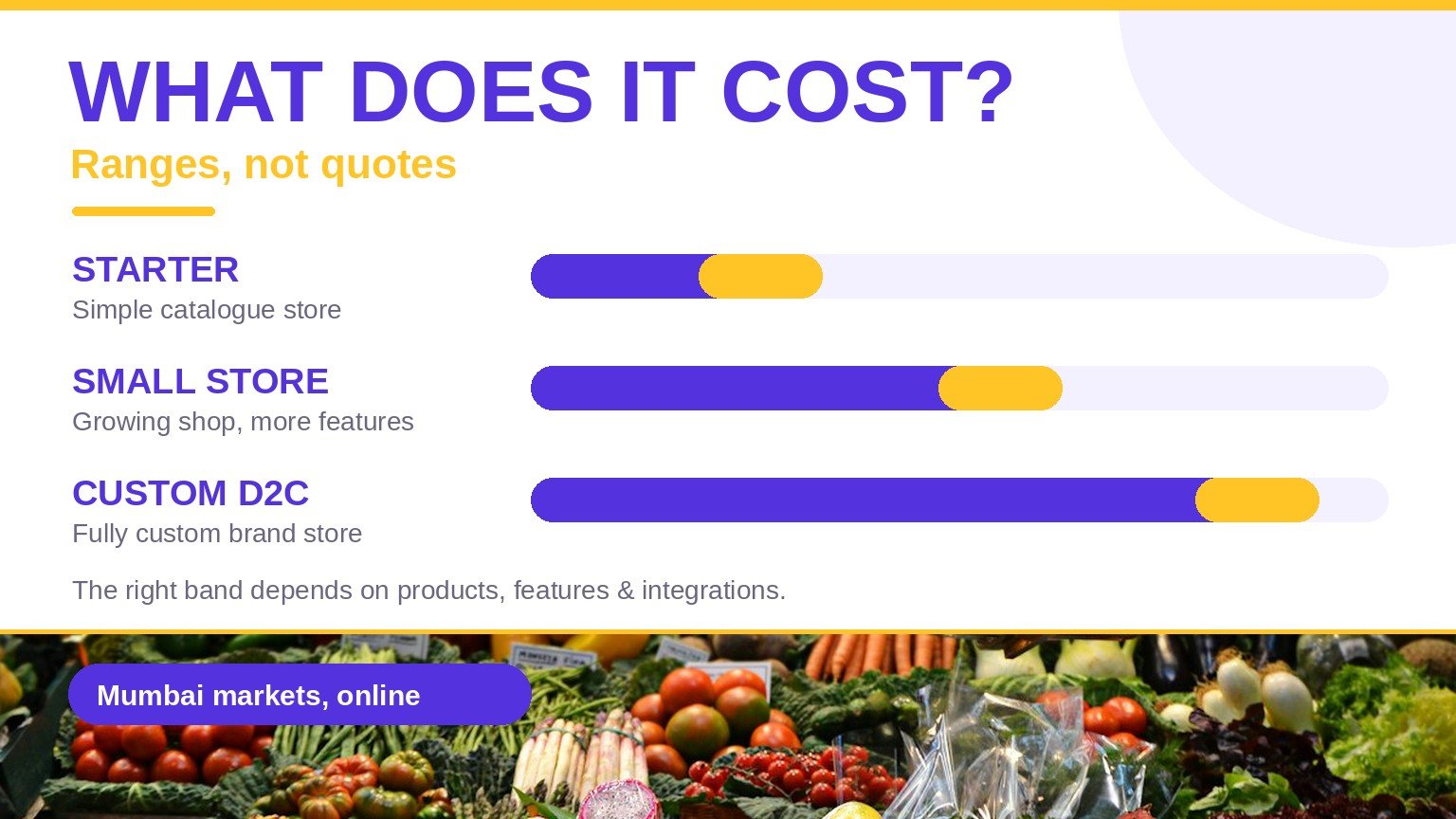
Costs vary by platform, catalogue size and design, so a single number would be a lie. Published market ranges:
Starter / theme store. Roughly Rs 10,000–50,000 for a basic store built on a ready theme with a small catalogue. Treat the lowest end as a bare-bones scope, not a full store.
Small store, up to 100 products. Roughly Rs 60,000–1,80,000 for a store with a proper catalogue, payment gateway, shipping setup and basic training.
Business / custom-designed D2C store. Roughly Rs 1,20,000–3,50,000 for a custom-designed store with branded product pages, offers, and WhatsApp and shipping integrations. Some published ranges put custom D2C builds at roughly Rs 3,00,000–10,00,000.
Shopify Plus / headless / enterprise. Roughly Rs 3,25,000–6,50,000 or more for an enterprise build with advanced integrations, multiple sales channels and a dedicated team.
Timelines. Roughly 2–3 weeks for a basic store, 4–8 weeks for a full store, and 8–12 weeks for an enterprise build. The biggest cause of delay is slow content from the seller.
GST and price drivers. 18% GST is usually charged on top of agency quotes. Custom design, a large catalogue and B2B pricing push the price up.
Ranges, not quotes.
What it costs to run after launch
Shopify plans. Shopify Basic costs roughly Rs 1,499 per month, Grow roughly Rs 5,599 per month, and Advanced roughly Rs 22,680 per month, on yearly billing. The right plan depends on your order volume.
Payment gateway fees. Shopify Payments is not offered in India, so Indian stores use Razorpay, PayU or Cashfree, and Shopify adds an extra fee on top: roughly 2% on Basic, 1% on Grow and 0.6% on Advanced.
Apps, shipping and maintenance. A store usually needs a few paid apps: reviews, offers, loyalty, and WhatsApp chat. Budget a few thousand rupees a month for these.
Add the plan, the gateway fees, the apps, the shipping and the maintenance together, and you have the real monthly cost.
Who owns your store, products and customer data
On Shopify, your store lives on Shopify’s platform. You own your products, your customer list and your content, and you can export them. But you do not own the platform, and if you stop paying, the store stops.
On WooCommerce, you own the whole setup: the website, the database, the product and customer data, and the hosting account. Make sure the hosting account, the domain and the admin logins are in your name, not the developer’s.
Your customer list is your business. Never let a developer hold the only copy. Before you sign, get it in writing: you own the store, the domain and the data, and you receive all logins and a full export at handover.
Red flags and mistakes to avoid
A quote with no platform and no monthly costs. If the quote does not say Shopify or WooCommerce, does not list the monthly plan, and does not mention gateway fees, the quote is incomplete.
A store built without product photos ready. A developer cannot build a good store from a spreadsheet of product names. If your photos are not ready, the launch will slip by weeks.
No test order before launch. A store that has never taken a real payment, created a courier booking and issued a GST invoice is not ready. Insist on a full test order.
A checkout with too many steps. Every extra field, every extra page, every forced account creation costs you orders. Let buyers check out as guests and keep the form short.
Ignoring the phone. Most of your buyers are on phones. If the store is only tested on a laptop, the launch will be the first time anyone sees the problem.
No plan for abandoned carts. If the store launches without cart recovery on WhatsApp, you are leaving the easiest sales on the table. Set up the flows before launch.
Choosing the cheapest quote without reading it. The cheapest quote is usually the one with the vaguest scope.
How Digital Dhatu works
Digital Dhatu builds online stores the same way it builds everything else: Understand, then Strategize, then Build, then Launch, then Optimize. First, a session with your team to understand what you sell and how orders work. Then a written plan covering the platform, the catalogue, the payment and shipping setup, and the monthly running costs. Then the build and launch, with a test order before the first real buyer arrives.
How much does an ecommerce website cost in Mumbai?
A starter or theme store roughly Rs 10,000–50,000, a small store with up to 100 products roughly Rs 60,000–1,80,000, a custom D2C store roughly Rs 1,20,000–3,50,000, and an enterprise build roughly Rs 3,25,000–6,50,000 or more. GST at 18% is usually on top. Ranges, not quotes.
Shopify or WooCommerce — which is right for my business?
Shopify is right when you want to launch fast, with a hosted store and a simple dashboard. WooCommerce is right when you want full control over design, hosting and checkout, and you have a developer to maintain it.
What payment options should a Mumbai store offer?
Offer UPI first, through Razorpay, PayU or Cashfree, plus cards and net banking. Decide on COD with a clear rule — many sellers offer it only above a minimum order value. Issue a proper GST invoice with every order.
How long does it take to build an online store?
A basic store takes roughly 2–3 weeks, a full store takes roughly 4–8 weeks, and an enterprise build takes roughly 8–12 weeks. The biggest cause of delay is slow content from the seller.
What does it cost to run a store every month after launch?
On Shopify, the plan costs roughly Rs 1,499 per month for Basic, Rs 5,599 for Grow and Rs 22,680 for Advanced on yearly billing, plus roughly 2%, 1% or 0.6% extra on gateway orders. On WooCommerce there is no platform fee, but you pay hosting.
Who owns my store, products and customer data?
You should. On Shopify you own your products, customer list and content and you can export them, but the store runs on Shopify’s platform. On WooCommerce you own the website, the database and the hosting account. Either way, keep your own monthly backup.
Final word
An online store is not a website with a buy button. It is a shop that is open all day and all night: it takes the order, takes the payment, and books the courier.
If you are selling on Instagram DMs or a marketplace and the manual work is eating your day, that is the moment to build your own store. Choose the platform that fits your catalogue and your team.
Book a free consultation with Digital Dhatu: call +91 80800 99200, or visit the contact page. Our offices are in Vashi and Andheri West, Mumbai.
Share:
Want results like these for your business?
Talk to our team for a free consultation, with no obligation.
Start with the free foundations: a complete Google Business Profile with real photos and correct hours, a WhatsApp catalogue of your stock, and 3 to 5…
A basic AMC covers repairs when things break, while managed IT support prevents most breaks in the first place: monitoring, patching, backup checks and a helpdesk…
Short answer: Start with the four apps that matter: Google Business Profile, Zomato, Swiggy, and Instagram. A single-outlet cafe spends around Rs 35,000 to 80,000 a…